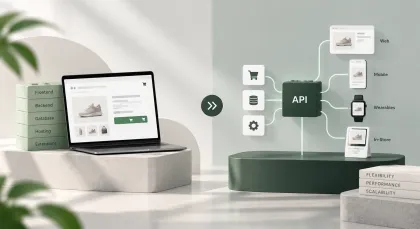
Shopify theme or custom build: how to decide
Buy a premade theme when your storefront works the way most storefronts work. Customise one when two or three things are genuinely different about how you sell. Commission a custom build when the product itself needs an interface that no theme expresses — configurators, unusual purchase flows, catalogues organised around something other than category and price.
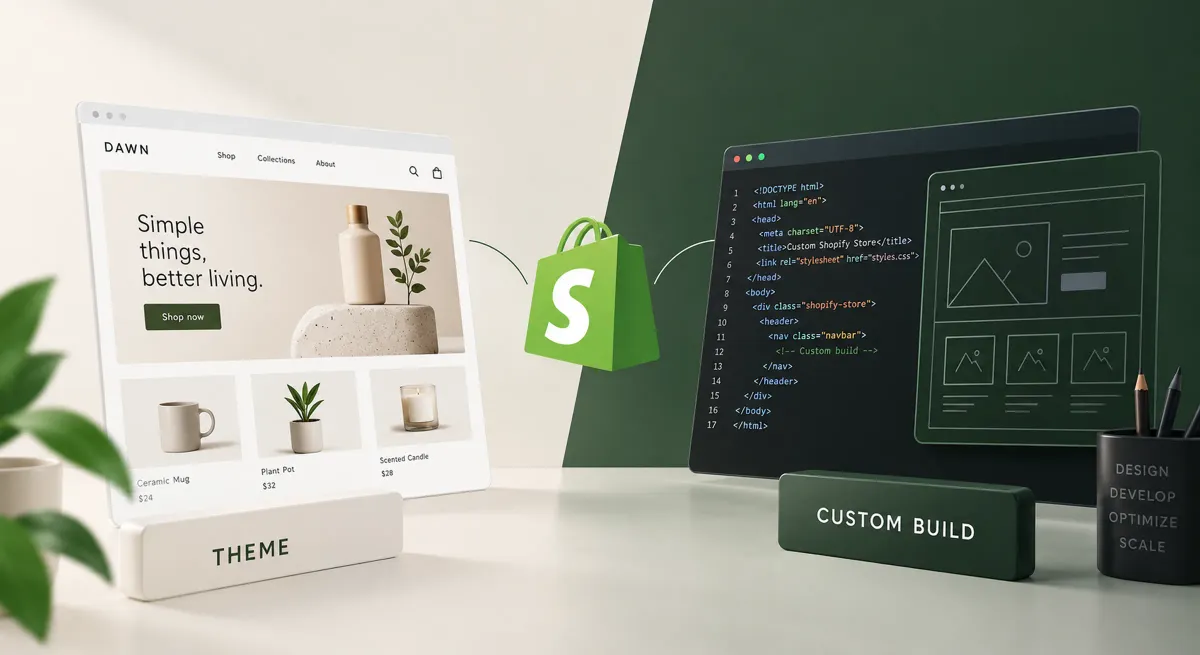
Most people asking this question have already decided they want a custom build and are looking for permission. The honest answer is that a premade theme is right more often than agencies say, and the deciding factor is not budget or ambition but how unusual your storefront genuinely is.
What the three options actually are
Three distinct routes exist and the middle one gets confused with both of its neighbours. A premade theme is bought and configured. A customised theme is a bought theme with development work on top. A custom theme is built from an empty starting point specifically for you. All three run in Shopify’s theme layer and all three keep the theme editor.
Headless is a fourth thing entirely, and it is a different conversation with different reasons.
The question that decides it
Count the things about how you sell that a normal storefront does not do. Not the things that feel special about your brand — every brand feels special — but mechanics a theme would have to be taught. A size chart is not unusual. A configurator that prices a made-to-order item from six dimensions is.
That count is the decision:
| Genuinely unusual mechanics | Route | Why |
|---|---|---|
| None | Premade theme | You are paying to rebuild what already exists |
| One or two | Customised theme | Extend the theme at the two points it does not reach |
| Three or more | Custom build | You are now fighting the theme more often than using it |
| Any number, plus multi-brand or a bespoke interface | Consider headless | A theme is no longer the constraint being hit |
The threshold is not a rule handed down from anywhere. It is where, in the builds we have run, the arithmetic flips: below it, customisation is cheaper; above it, the customisations start colliding with each other and a clean build costs less than the collisions.
When a premade theme is the right answer
A bought theme is the correct choice when your storefront works the way storefronts work: a catalogue, variants, a cart, a checkout, some content pages. That describes most first stores and a good number of established ones.
Buying one is not a compromise, and the reasons are practical. The responsive behaviour has been tested on devices you do not own. The accessibility basics are usually present. The theme’s developer fixes it when Shopify changes something underneath. You get to spend the money you did not spend on development on photography, which will do more for conversion than a bespoke grid.
The trap is buying a theme for a feature list. Themes advertise dozens of sections and layout options, and the ones that matter are the three you will actually use. A theme with fewer, better-built sections beats one with forty that each add weight to every page.
When customising is the right answer
Customisation earns its cost when a small number of specific things need to work differently and the rest of the storefront does not. A bought theme extended at two points is a normal, well-behaved store; a bought theme extended at fifteen is a maintenance problem wearing a theme’s name.
Work that customises well:
- A product page section the theme does not offer, added as a proper Online Store 2.0 section so the editor can still move it
- Bespoke filtering on a collection, where the catalogue has attributes shoppers actually filter by
- A different variant selector, because yours has three axes and the theme assumed one
- Removing what you do not use, which is the cheapest performance work available on a bought theme
Work that customises badly is anything that requires the theme to change its mind about page structure. Rewriting the cart, restructuring templates, or changing how the theme handles collections means you are now maintaining a fork of somebody else’s code without their release notes.
When a custom build is genuinely cheaper
A custom theme wins on total cost when the storefront is unusual enough that customisation becomes continuous. Three signals show up together in the projects where we have recommended it.
Every new requirement starts with “can the theme do”. When that sentence opens most conversations, the theme has stopped being a foundation and become an obstacle.
The customisations have started interacting. Two independent changes are fine. The sixth change breaking the third is the classic sign, and it gets worse rather than better.
Nobody can update the theme any more. A theme so heavily modified that applying its updates would destroy the work is, in practice, already a custom theme — just one with a worse history and no documentation.
At that point a clean build is not an indulgence. It is cheaper than continuing, and it produces something a second developer can read.
What a custom build actually costs to own
The build is the part everyone estimates. Ownership is the part that decides whether it was a good idea.
A custom theme is code that only you have. When Shopify deprecates something, nobody sends you a patch. When a browser changes behaviour, nobody has already fixed it. When the developer who built it moves on, the next person reads the code rather than the documentation of a widely-used theme.
None of that is an argument against custom builds. It is an argument for budgeting the second year, which most estimates do not. In our experience the projects that regret a custom build are not the ones that spent too much on it — they are the ones that spent everything on it and left nothing for the eighteen months afterwards.
What you should build custom regardless of route
Some things are worth building properly whichever route you take, because they are where money is won and lost.
The product page. Whatever the rest of the storefront is, the product page carries the conversion. It is worth custom work on a bought theme.
Anything unique to your sales process. A configurator, a bundle builder, an unusual quantity model — if that is why customers choose you, the theme should not be deciding how it behaves.
Performance. LCP on a theme is decided mostly by images and apps, not by the theme itself. Both are fixable on any route, and both are usually ignored on all three.
How we advise clients
Two questions, asked before any estimate.
First: what specifically can a theme not do for you? A concrete list of two or three mechanics means customise. A long list of aesthetic preferences means buy a theme and spend the difference on design work within it. An empty list means buy a theme, and the honest version of that advice sometimes costs us the project.
Second: who owns this in two years? A custom build is a long-term commitment to maintaining code. If the answer is “we would rather not think about that”, a well-chosen theme is the better business decision regardless of what the storefront could theoretically be.
Starting with a theme is not starting badly
The sequence most stores should follow is: buy a good theme, run it, find out what is actually limiting, then commission the specific work that removes those limits.
That order produces a brief written from evidence rather than from a wishlist. It also means the money spent on a custom build in year two is spent on things you know matter, rather than on your best guess in month one about how customers would behave.
We have rebuilt several stores where the second version was smaller than the first, because a year of running the first one showed which half of it nobody used.